Decrypting Lua Files from Dynasty Legends 2
Following one Lua file into Infra.dll revealed the key and the extra XXTEA rounds.

The question in this ResHax thread was whether the attached .lua files could be decrypted. They looked like a good fit for XXTEA because every size was divisible by four, but a normal implementation still produced garbage.
That usually means either the key is wrong or the routine is not quite standard. I installed the game, confirmed the same format across its Lua directories and followed Boss_LvBu.lua through the loader. The trail ended in Infra.dll, with both possibilities sitting in the same function.
Lua only by name
I used Boss_LvBu.lua as the first sample because it was small enough to inspect without much noise. The file was 3,324 bytes long. Its contents were not text, and the opening bytes did not match compiled Lua either.
The three Lua directories held 11,328 files. Their lengths followed the same pattern as the samples from the request: each one landed on a four-byte boundary.
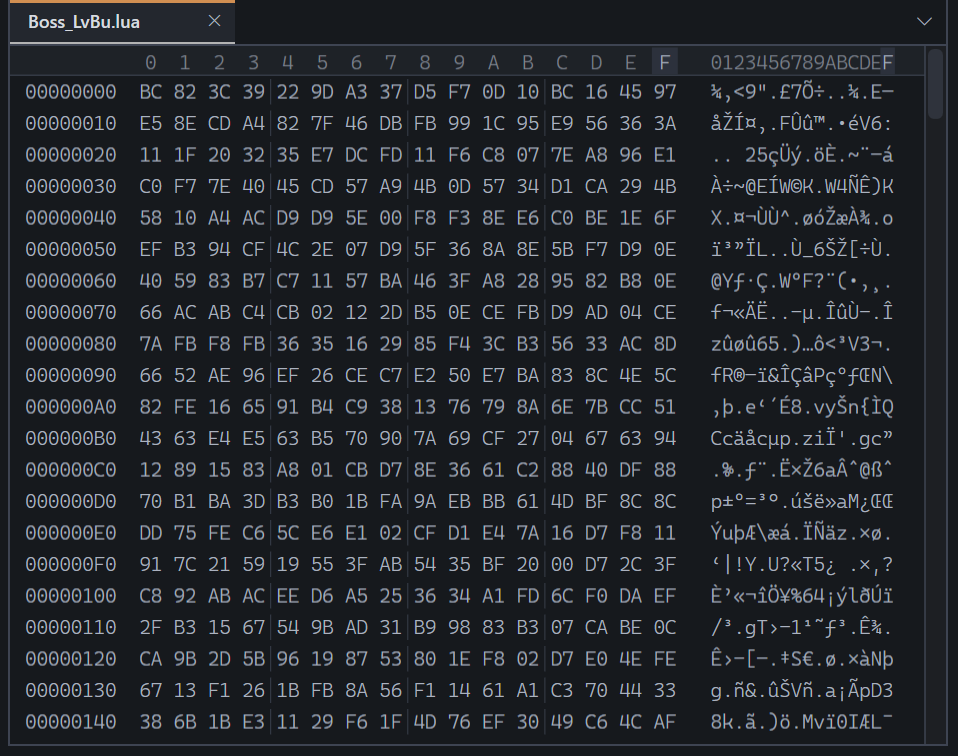 Figure 1.
 Boss_LvBu.lua before decryption. There is no readable source or standard Lua bytecode header.
Finding the Lua loader
The IL2CPP metadata included a private method named TK2Aux.GameSystems.LuaSystem.LuaFileLoader. I found its native code in GameAssembly.dll and renamed it DL2_LuaFileLoader in the IDA database.
The function builds the script path and asks TKData_ReadBytes for the file. If that lookup fails, it tries the fallback path. Once either copy has been read, the byte array goes straight into DL2_DecryptLuaBytes.
That call was the useful part. LuaSystem only sees the byte array after DL2_DecryptLuaBytes has returned.
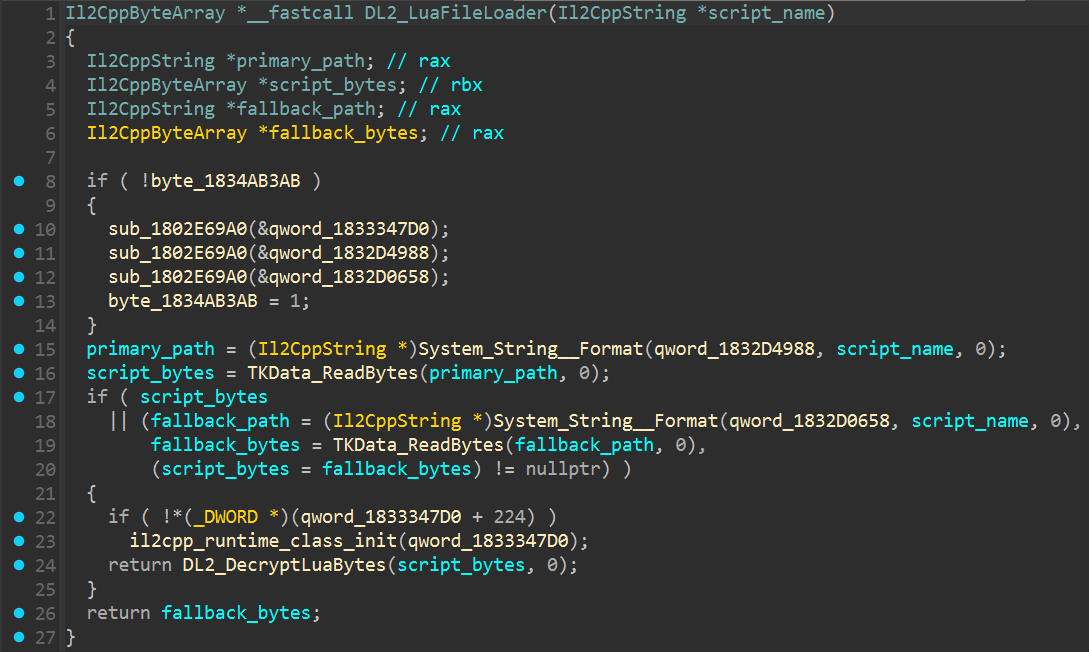 Figure 2.
 LuaFileLoader reads the requested script and sends its byte array to DL2_DecryptLuaBytes.
The call into Infra.dll
DL2_DecryptLuaBytes does not contain the cipher. It takes the data pointer and length from the managed byte array, then resolves a native import named DecoderBytes from Infra.dll.
The imported function receives the same buffer, its length and the padding flag. Its return value is only used to resize the managed array when padding should be removed. The Lua loader passes false, so the decrypted bytes remain in the original array.
DecoderBytes was implemented in Infra.dll, so I continued the analysis there.
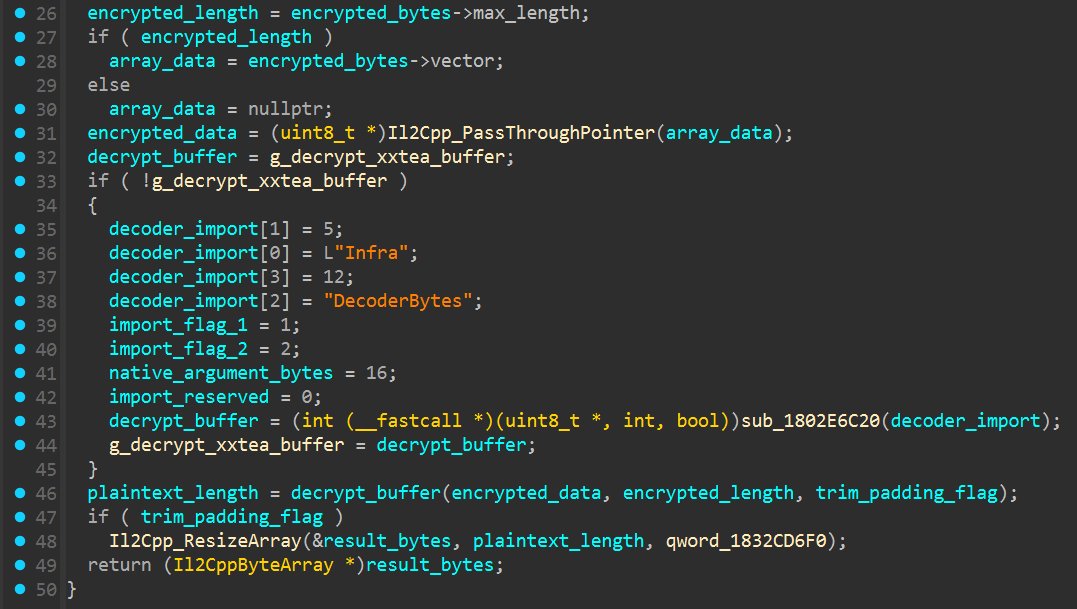 Figure 3. The managed wrapper resolves
 Infra.dll!DecoderBytes and passes it the Lua file buffer.
Opening Infra.dll
Infra.dll exports DecoderBytes, the function requested by the managed wrapper. I renamed it DL2_DecryptXXTEABuffer after cleaning up its arguments and the small amount of NativeAOT setup around it.
The function works on the supplied buffer rather than making a new one. It divides the byte count by four and passes the result to DL2_XXTEADecryptWords, along with the key state kept by the plugin.
There is also an option to remove spaces from the end of the result. LuaSystem leaves that option disabled, but the matching encryption function explains why it exists: input is padded with ASCII spaces until its length is divisible by four.
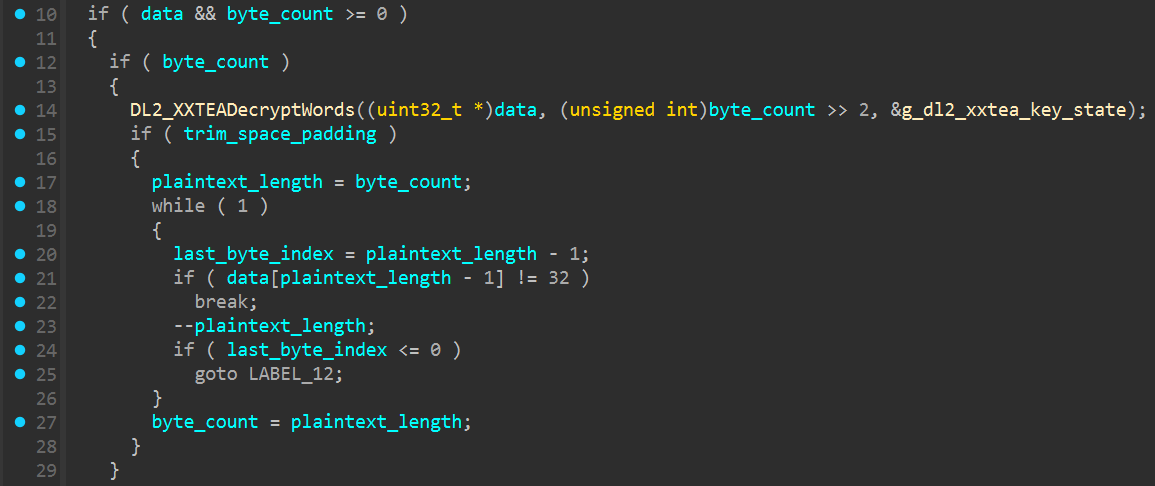 Figure 4.
 DecoderBytes passes the supplied buffer to the word-based decryptor.
Recovering the key
The four words in the plugin’s key state are not used as they are stored. At the start of DL2_XXTEADecryptWords, each one is XORed with a different constant and copied into a local key buffer.
I checked the key state after Infra.dll had initialised. Its stored words were 78ACEB50, 4F098F80, 97480E84 and B74C498E. Applying the four masks produced E69B92E9, 89E6B8A0, B09CE5AB and 32A783E5.
I read the four words back as little-endian bytes. Together they spell 钛核扫地僧2 in UTF-8, giving a key that is exactly 16 bytes long. The files still came out wrong with the usual XXTEA code. The key was right; the routine was using a different round count.
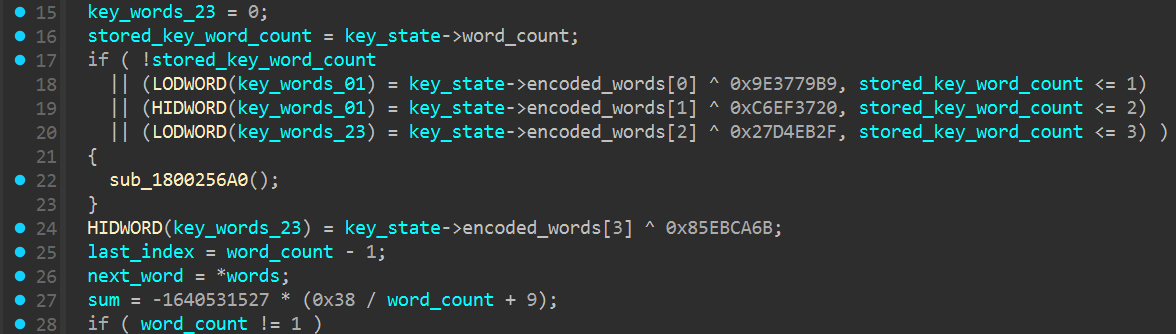 Figure 5. Four XOR operations reconstruct the key used by the XXTEA loop.
The extra rounds
The first line in Figure 6 was the part I had been missing. Regular XXTEA uses 6 + 52 / word_count rounds. This routine uses 9 + 56 / word_count instead.
The delta value and the word-mixing loop are otherwise familiar. I changed the round count in my test decoder and tried Boss_LvBu.lua again. This time it came back as readable UTF-8 Lua. Using the regular count with the same key still left the file scrambled.
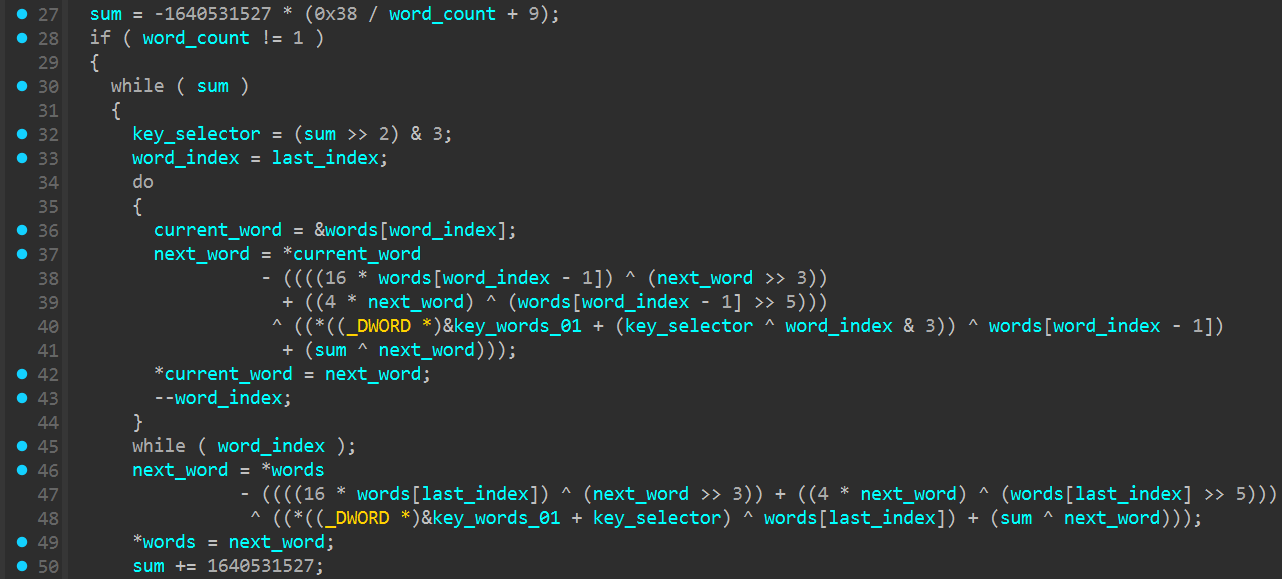 Figure 6. The familiar XXTEA loop is run with
 9 + 56 / word_count rounds.
Back to readable Lua
With the key and round count in place, I ran the first file through a small test decoder. Boss_LvBu.lua now began with local _moveData = and continued as an ordinary Lua table.
I opened the result in the same hex view used for Figure 1. The difference was immediate. Animation names, counters and boolean values were all readable in the text column, with no second layer of encoding or compression to deal with.
I ran the same check over the other 11,327 files after that. The Python decoder and DecoderBytes returned identical output for all 11,328 files. Every result was valid UTF-8 Lua. I also sent them back through CoderBytes; each encrypted file matched its original byte for byte.
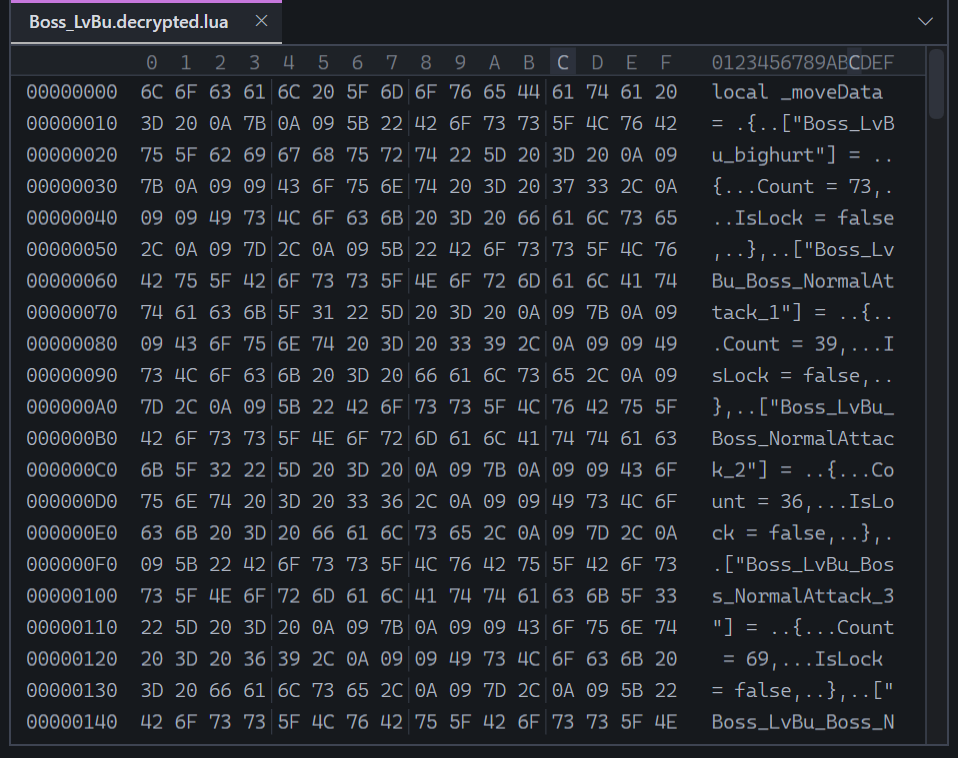 Figure 7. The same file after decryption, now containing ordinary UTF-8 Lua source.
The .lua extension was accurate. These were ordinary source files underneath the encryption.
The different round count was why the usual XXTEA result looked wrong. Once the Python decoder matched Infra.dll, the files decrypted normally.
I packaged the decoder as a Python script. The download and commands for running it are on the Dynasty Legends 2 Lua Decryptor project page.
Comments
The comments could not be loaded. Please try again.