How Wizardry Variants Daphne Protects Its Asset Bundles
Recovering the bundle loader after CrackProof removed the native methods from disk.
A question on r/AssetRipper about extracting models and animations from Wizardry Variants Daphne led me to its asset cache. The files had hash-based names, no extensions and no UnityFS headers. Renaming one to .bundle did not make Unity accept it.
First look at the cache files
I kept one cache file open in Archive Lab and searched beyond its scrambled header. There was no displaced UnityFS signature farther into the data, and the file was not empty or obviously damaged. I kept it around for comparison and moved on to the code responsible for opening it.
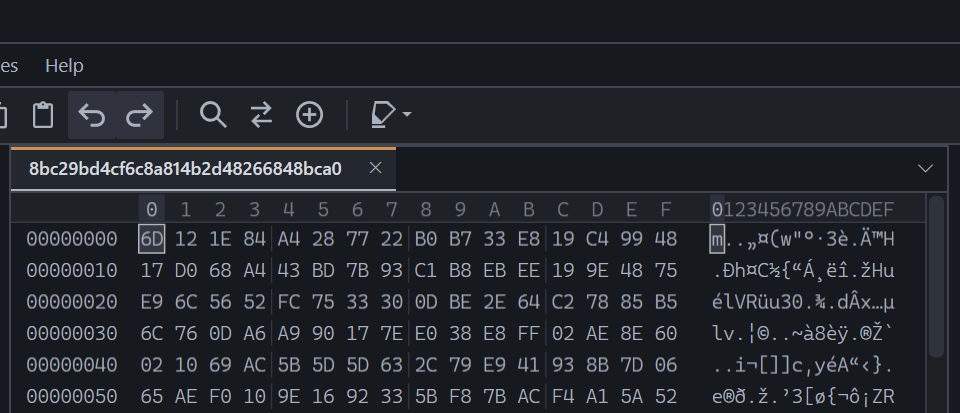 Figure 1. The cache file before decryption. The usual
 UnityFS header is missing.
Getting past the protected executable
I checked GameAssembly.dll first. CrackProof had replaced most of what I wanted to analyse with a loader, leaving the native IL2CPP code to appear later at runtime. There was little value in importing that file into IDA as if it were a normal Unity build.
The metadata was in much better shape. global-metadata.dat still contained the game’s type names, methods, fields and parameters.
Searching those names for AssetBundle produced a short list of likely loader classes. It was enough to continue without having the original machine code in front of me.
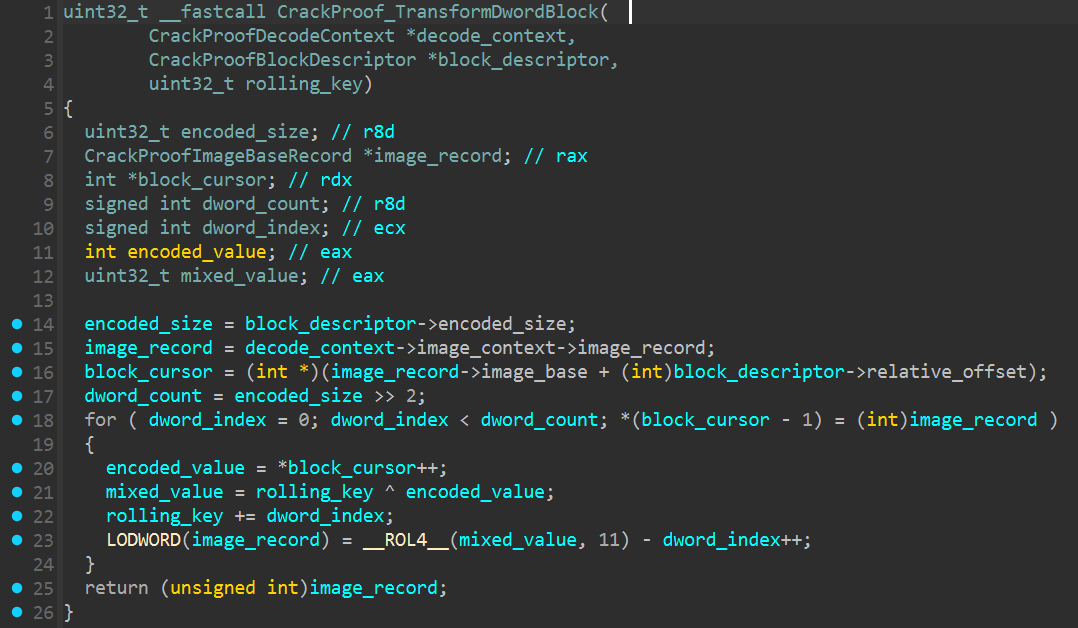 Figure 2. CrackProof restoring one of its encoded blocks. This belongs to the loader, not the bundle cipher.
Some very helpful class names
The metadata search left me with three names worth following: EncryptAssetBundleResource, EncryptAssetBundleSettings and SeekableAesStream.
EncryptAssetBundleResource was the useful one. Its fields hold the password and wrapped stream, while DecryptAndLoadAssetBundle takes a file path and file name. The SeekableAesStream constructor takes a base stream, password and salt. Its cipher method also receives the current stream position.
Figure 3 shows this route rebuilt in a separate IDA database. The original methods were not available on disk, so every function in the reconstruction is labelled accordingly.
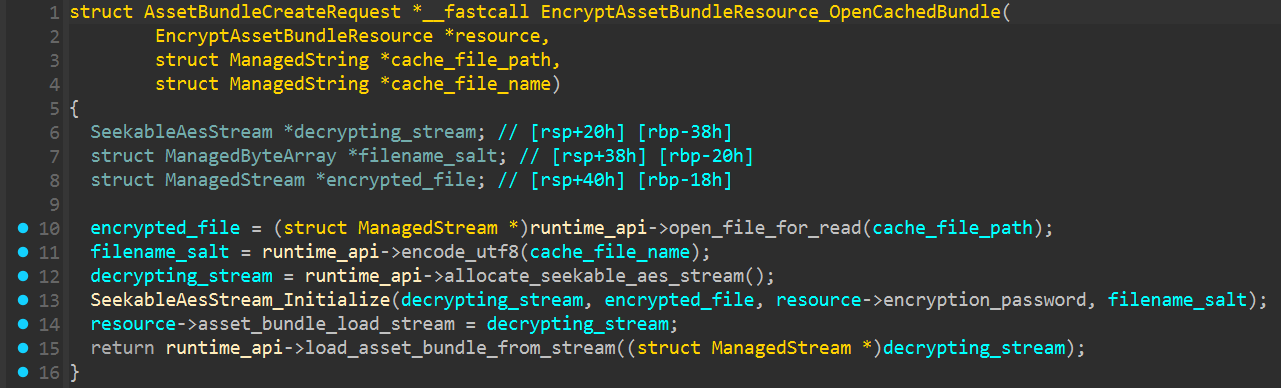 Figure 3. The reconstructed bundle path uses the cache name as the salt before passing the wrapped stream to Unity.
The password was sitting in a settings asset
EncryptAssetBundleSettings included an encryptPassword field, so I searched the normal Unity resources for its serialized object.
The password was M3kR9/aq9W. The same object also named the cache directory as assetcache.
There was no finished AES key stored with it. The missing input came from the cache file name, whose UTF-8 bytes are used as the salt. The original name needs to be kept for decryption.
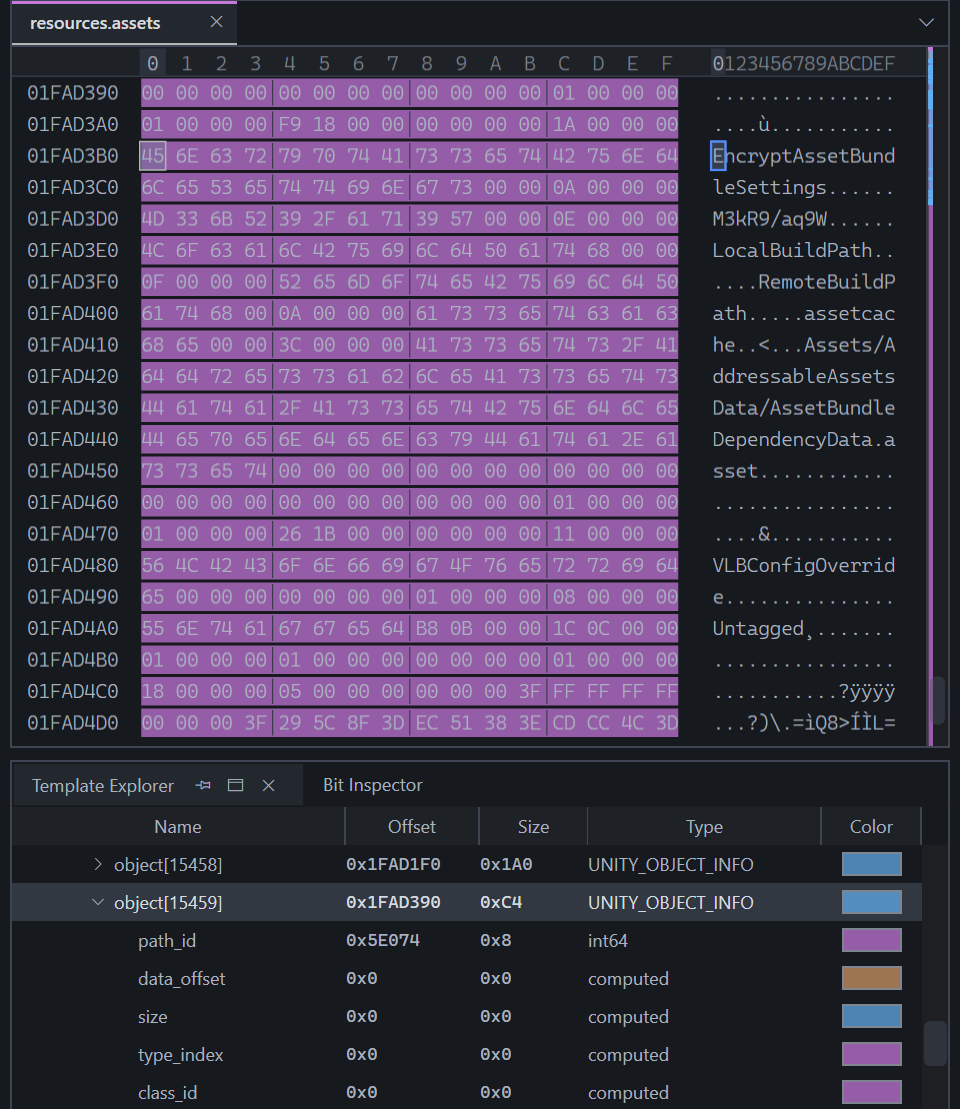 Figure 4. The password and cache directory stored in
 EncryptAssetBundleSettings.
Working out the AES setup
The name SeekableAesStream matched an existing implementation with the same fields and method layout.
Its constructor passes the password and file-name salt to .NET’s PasswordDeriveBytes, then takes the first 16 bytes as the AES key. AES runs in ECB mode without padding.
ECB is only used to encrypt the counter blocks. Their output is XORed with the bundle data.
I copied that setup into a small test and ran it against one cache file. The first decrypted bytes read UnityFS.
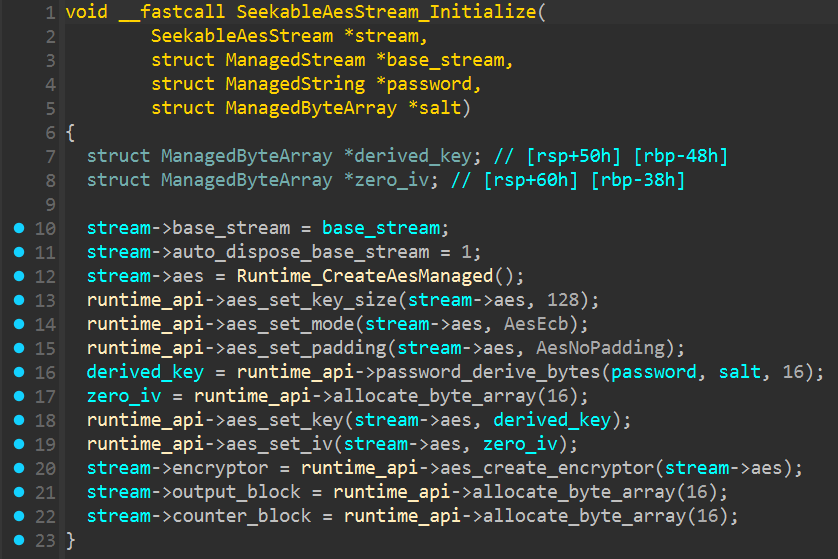 Figure 5. The reconstructed stream setup using
 PasswordDeriveBytes and AES-128-ECB.
How the bundles are changed
The counter does not begin at zero. Mine came out as 1 for a read from the file start, 2 after 16 bytes and 3 after 32. That was the pattern I used for the rest of the cache.
The AES input is 16 bytes long. The little-endian block number occupies the first eight bytes and the other eight stay at zero.
1
2
3
4
counter       = floor(stream position / 16) + 1
counter block = little-endian uint64(counter) + 8 zero bytes
keystream     = AES-128-ECB(key, counter block)
output        = input XOR keystream
The whole file goes through this transform, not just its header.
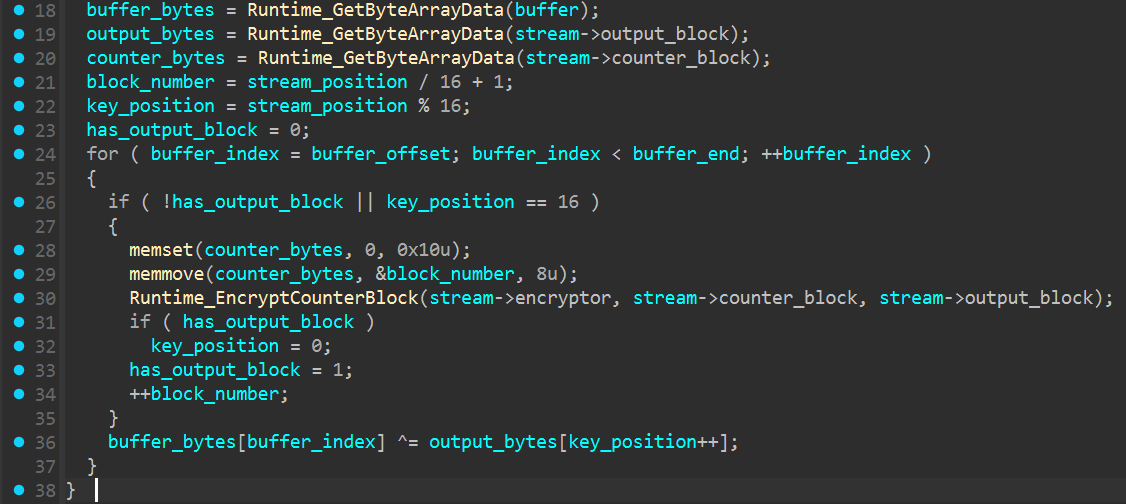 Figure 6. The counter block being encrypted and XORed with the cached bundle data.
A readable bundle at last
I ran the finished transform against the same cache file used in Figure 1. This time, the first bytes read UnityFS.
Archive Lab recognised the result as a UnityFS bundle and read its declared size correctly. I tried several more files after that, including some of the larger ones, and their headers came back as well.
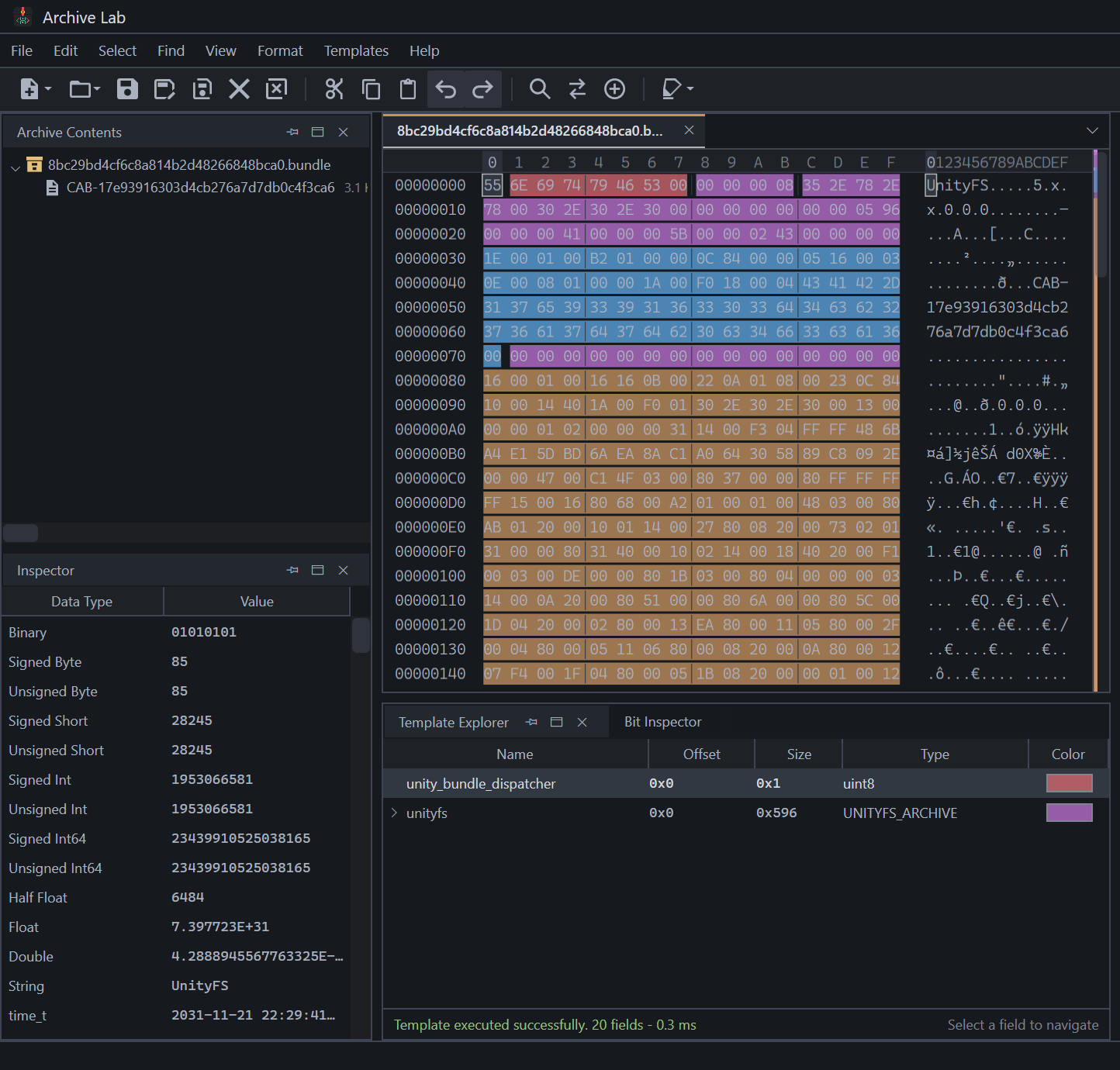 Figure 7. The same cache file after the transform, with
 UnityFS back at offset zero.
Everything needed to run the decryptor is on the Wizardry Variants Daphne Bundle Decryptor project page.
Keep the original filename
CrackProof was the part that slowed this down. With the original native methods missing from disk, I had to reconstruct the loading path from the metadata and Unity resources.
The bundle cipher itself was fairly small. The detail worth remembering is the filename because it is part of the key derivation. Keep the original name and the cache can be turned back into ordinary UnityFS bundles.
Comments
The comments could not be loaded. Please try again.