Reversing Etrange Overlord Demo Asset Bundle Encryption
The bundles still contained normal Unity data even though their headers had been scrambled.

A request on ResHax pointed me towards several Etrange Overlord Demo bundles that Unity refused to recognise. The game could still load them, so the missing step had to happen somewhere before the data reached Unity. I started with the damaged headers, then moved into GameAssembly.dll.
Looking at the bundle files
I opened several bundles in a hex editor. None began with UnityFS, and the signature did not appear anywhere else in the files. That ruled out a header moved to another offset. The AES theory was still open, but the bytes alone did not show how much of each file had been changed.
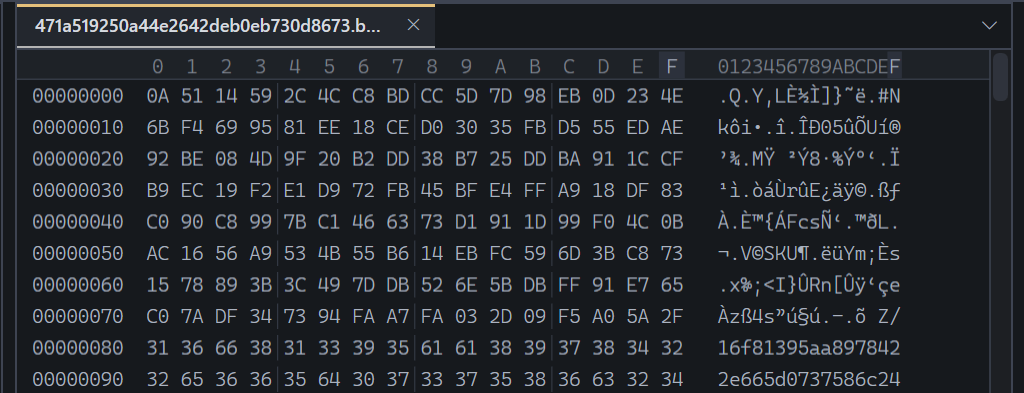 Figure 1. The opening bytes of an encrypted asset bundle in the hex editor.
Finding the bundle loader
I searched the names in IDA for AssetBundle and found AssetBundleEncryptProvider and AssetBundleEncryptResource almost straight away.
Provide does not contain much of interest. It makes the resource, calls Load and returns. So I moved into Load.
Next comes the filename setup. The .bundle extension is removed. Names under 16 characters get underscores appended, while longer names are clipped. Either way, the salt ends up at 16 characters. Load gets the UTF-8 bytes, opens the file and puts Partida.SeekAesStream in front of the original stream.
The wrapper call has 0, 128 and 128. Reading Initialize cleared those up: offset zero, 128 bytes to process and a 128-bit AES key.
AssetBundle.LoadFromStreamAsync gets the wrapper. Not the original file stream. That was the link back to the odd header from the first hex check.
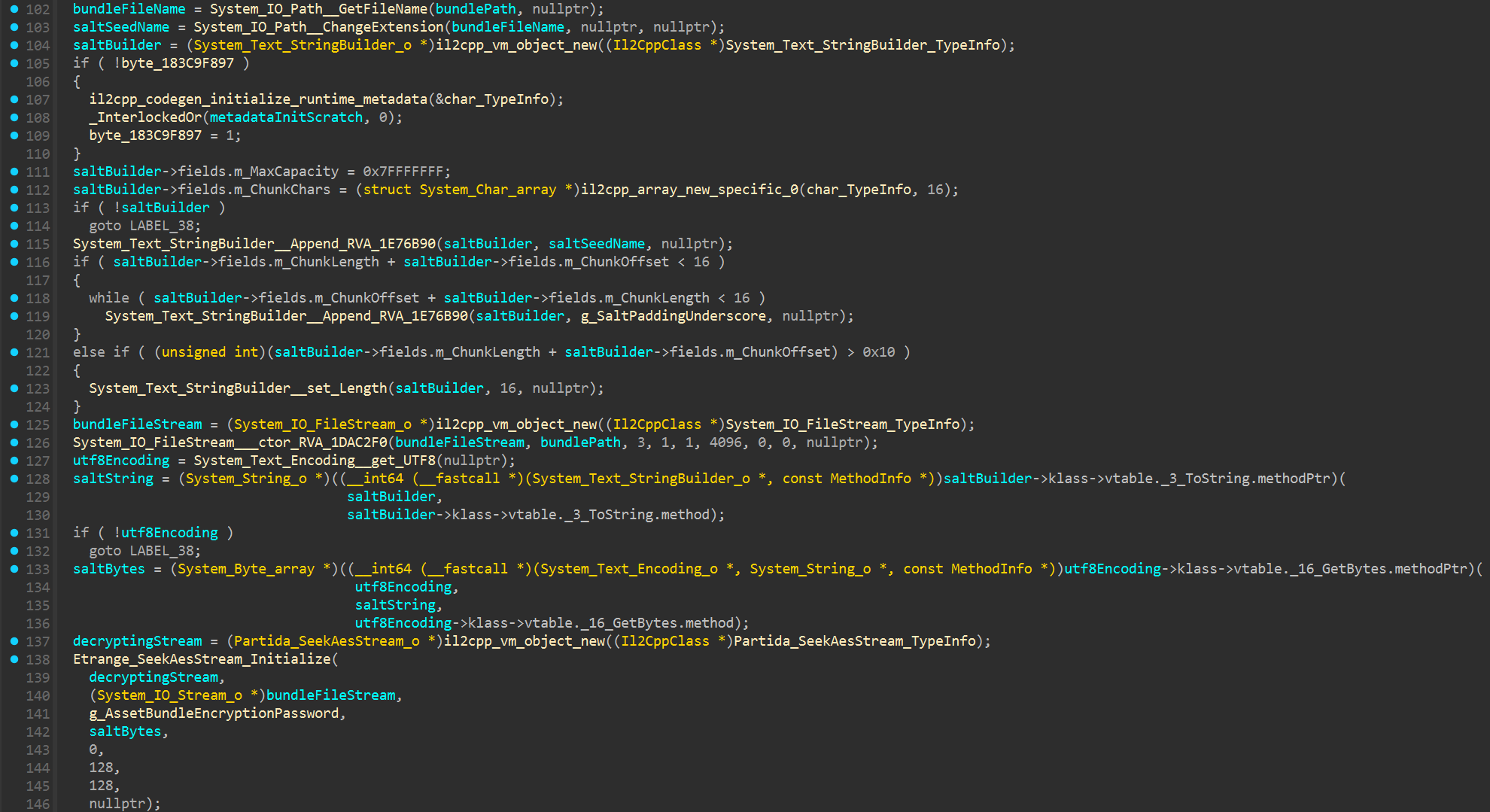 Figure 2.
 AssetBundleEncryptResource.Load preparing the encrypted stream.
Building the bundle key
In SeekAesStream.Initialize, I mapped the constructor call to Rfc2898DeriveBytes_ctor_Default1000_SHA1. The function asks it for keySizeBits / 8 bytes. With 128 coming from the caller, that gives a 16-byte key.
The password I recovered is xKci6s8ZAkbfj85pWbR9BKFfZqKFG3Yr6Urtw9D6. Every bundle uses it. The other input comes from the filename, so the key changes even though the password does not. I derived a few of them separately to make sure.
After that, the constructor sets Mode to 2 and Padding to 1. The .NET enum values map to ECB and None. The IV is a fresh 16-byte array filled with zeroes, and CreateEncryptor finishes the setup.
ECB looked odd here at first. It is not run across the bundle in the usual way. The next routine feeds counters into that encryptor and XORs its output with the file data.
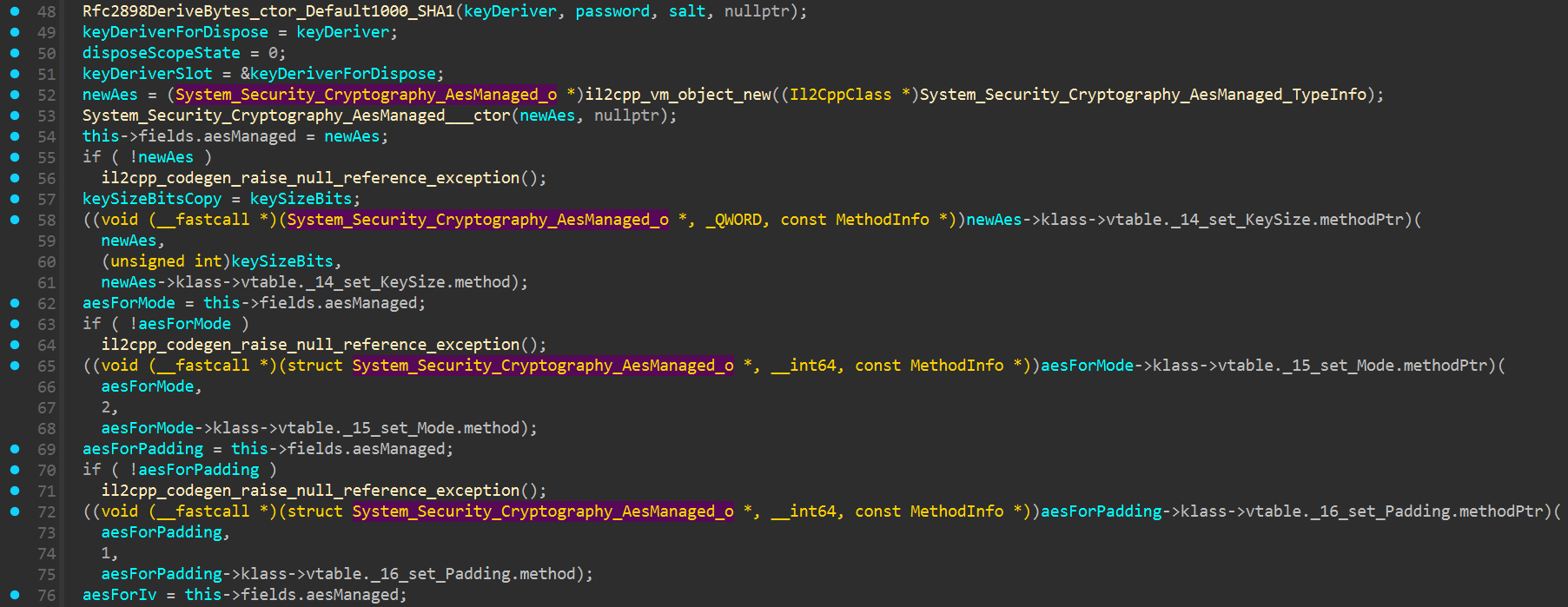 Figure 3.
 SeekAesStream.Initialize setting up PBKDF2 and the AES options.
How the bytes are changed
The AES setup stopped looking quite so strange once I got into the byte routine. The stream position is divided by 16. Add one and that becomes the counter, beginning at 1. Its bytes go into the input block in little-endian order, then through AES.
What comes back is XORed with the bundle. Cross into another block and the counter moves with it. Put the same bytes through the routine again and the change is undone.
There is a cutoff at 128 bytes. After that, SeekAesStream reads from the original file without touching it. That was the missing bit. The Etrange Overlord Demo had scrambled the header rather than the whole bundle.
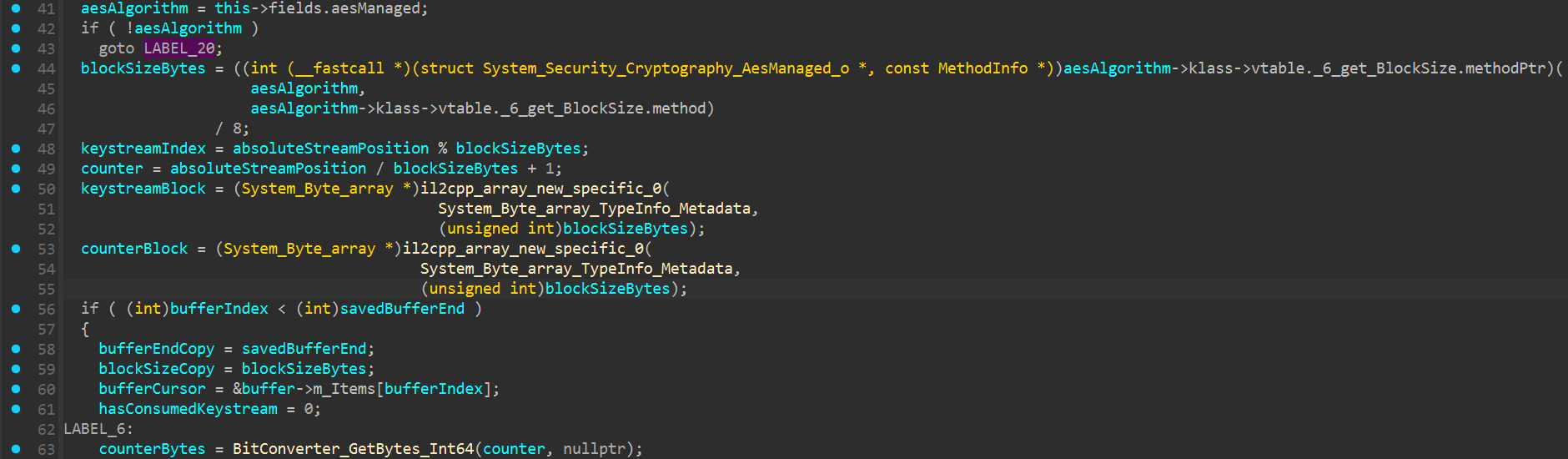 Figure 4.
 SeekAesStream calculating the counter from the current stream position.
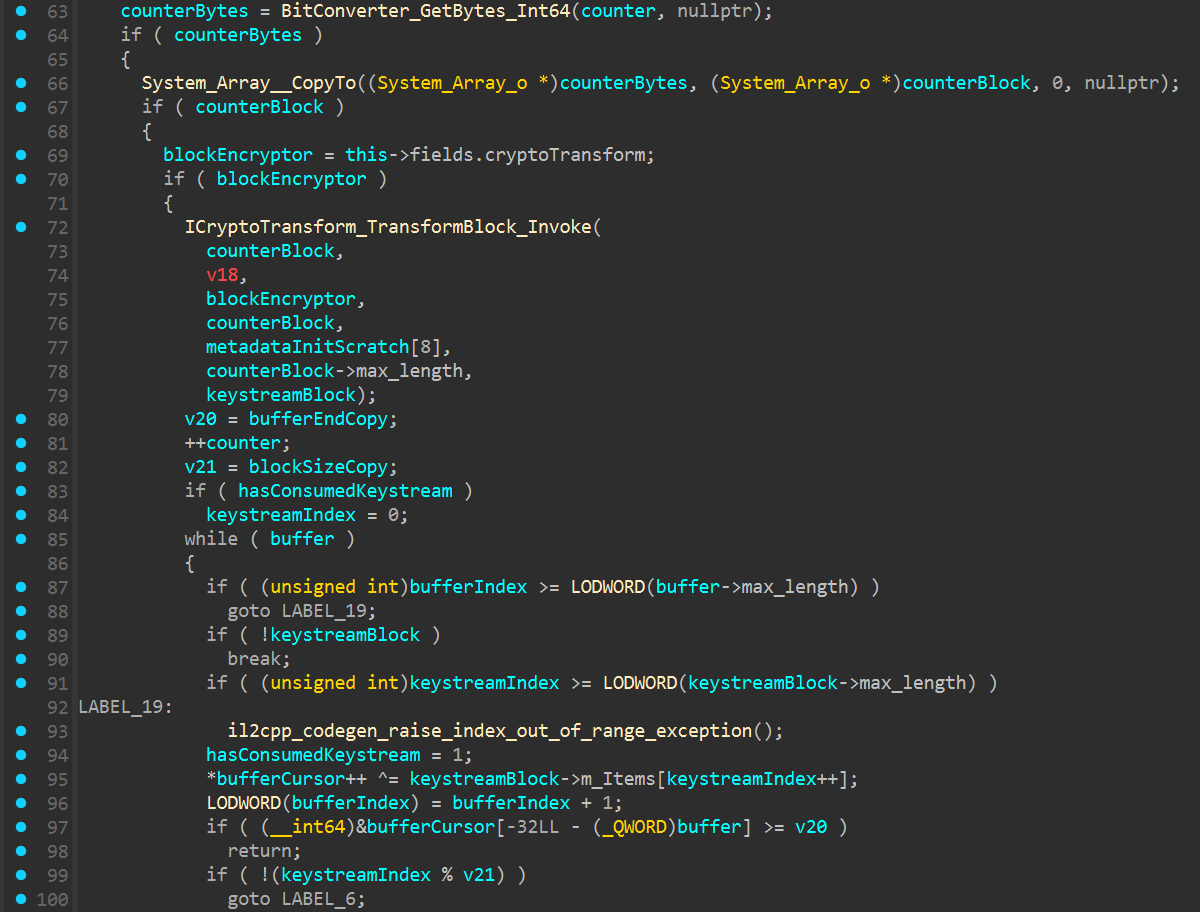 Figure 5. The counter block being encrypted and XORed with the bundle data.
Getting the Unity header back
I put the recovered routine into a small script and picked one bundle for a test. Its filename became the salt and PBKDF2 gave me the 16-byte key. From there, I ran the counter loop over 0x80 bytes and copied everything after that as-is.
The output opened with UnityFS at offset zero. The other header fields made sense too. Even the length recorded there agreed with the file on disk. I put the remaining bundles through the same check and kept seeing valid headers.
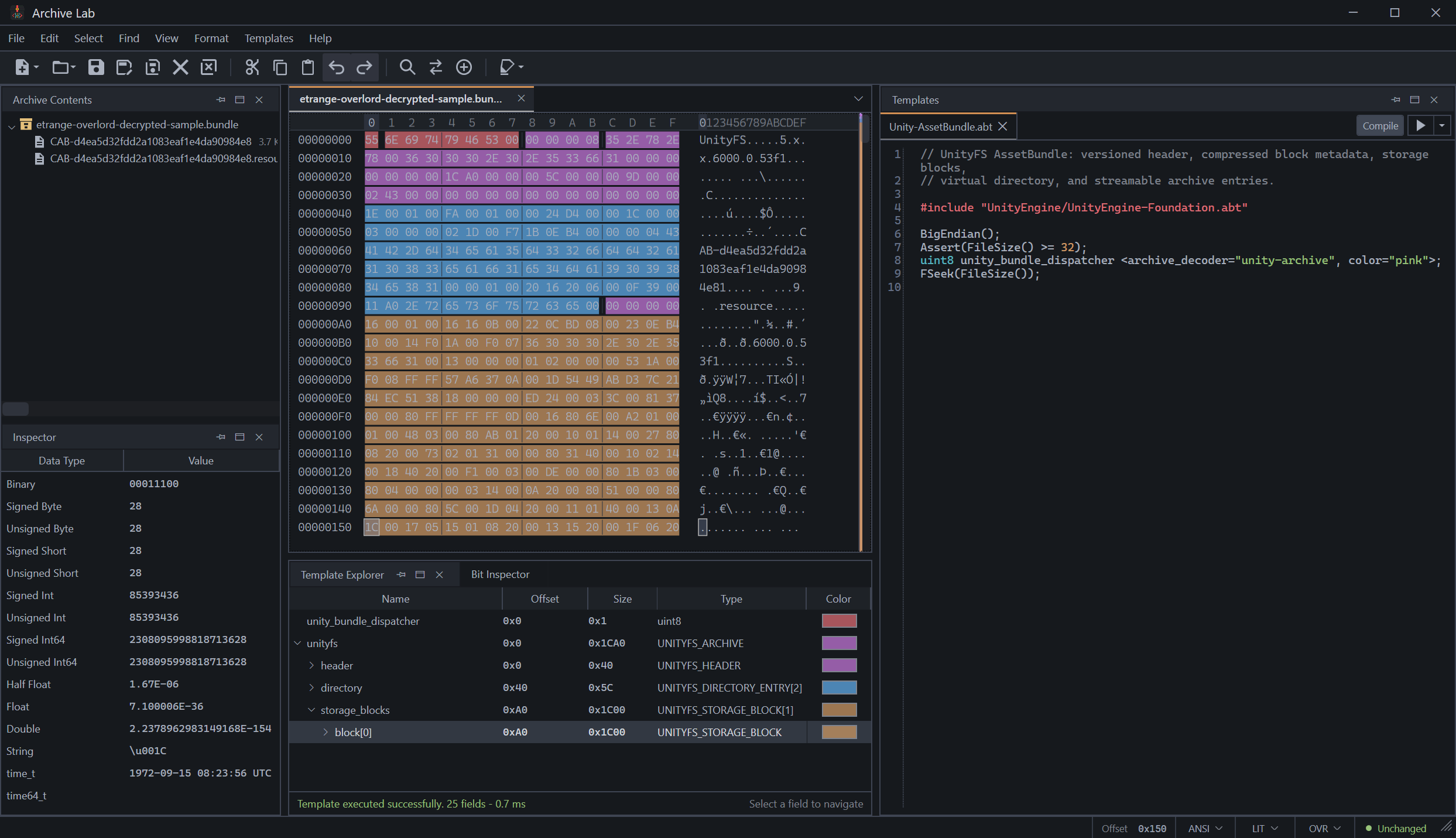 Figure 6. Archive Lab parsing the restored
 UnityFS bundle and listing its contents.
The password was easy enough to find. The stream class was where I lost most of my time. I kept seeing ECB in the setup and trying to make the file fit that idea, which sent me in the wrong direction. It only made sense after I followed the counter and saw where the XOR happened.
Once I had the stream class mapped, the idea behind it was almost annoyingly sensible. Change just enough of the header to stop Unity tools from recognizing the bundle and leave everything else alone.
The script is on the Etrange Overlord Demo Bundle Decryptor project page.
Comments
The comments could not be loaded. Please try again.